Typing a grocery list into the Kroger or Smith's app means searching for every item, one at a time, and choosing a brand and size for each. For a week of dinners, that's easily 20 searches.
Food Butler does that matching for you. It turns your meal plan into one list, finds a product at your store for each item, and adds them all to your cart at once. You still check out with the store, so you see its real prices, pick your time slot and pay there.
Below, we walk through it step by step, from planning the week to picking up the bags.
Our example is a Smith's store in Utah, but the steps are the same at Kroger, King Soopers, Fry's, Fred Meyer, Ralphs and the other Kroger-family stores that take online orders.
What you need before you start
- A Food Butler account. The app is in closed beta on iPhone and Android; join the beta to get access.
- A Kroger-family online account. It's the same free account you use for digital coupons or pickup at Kroger, Smith's or your local Kroger-family store. If you don't have one yet, create it on your store's website first.
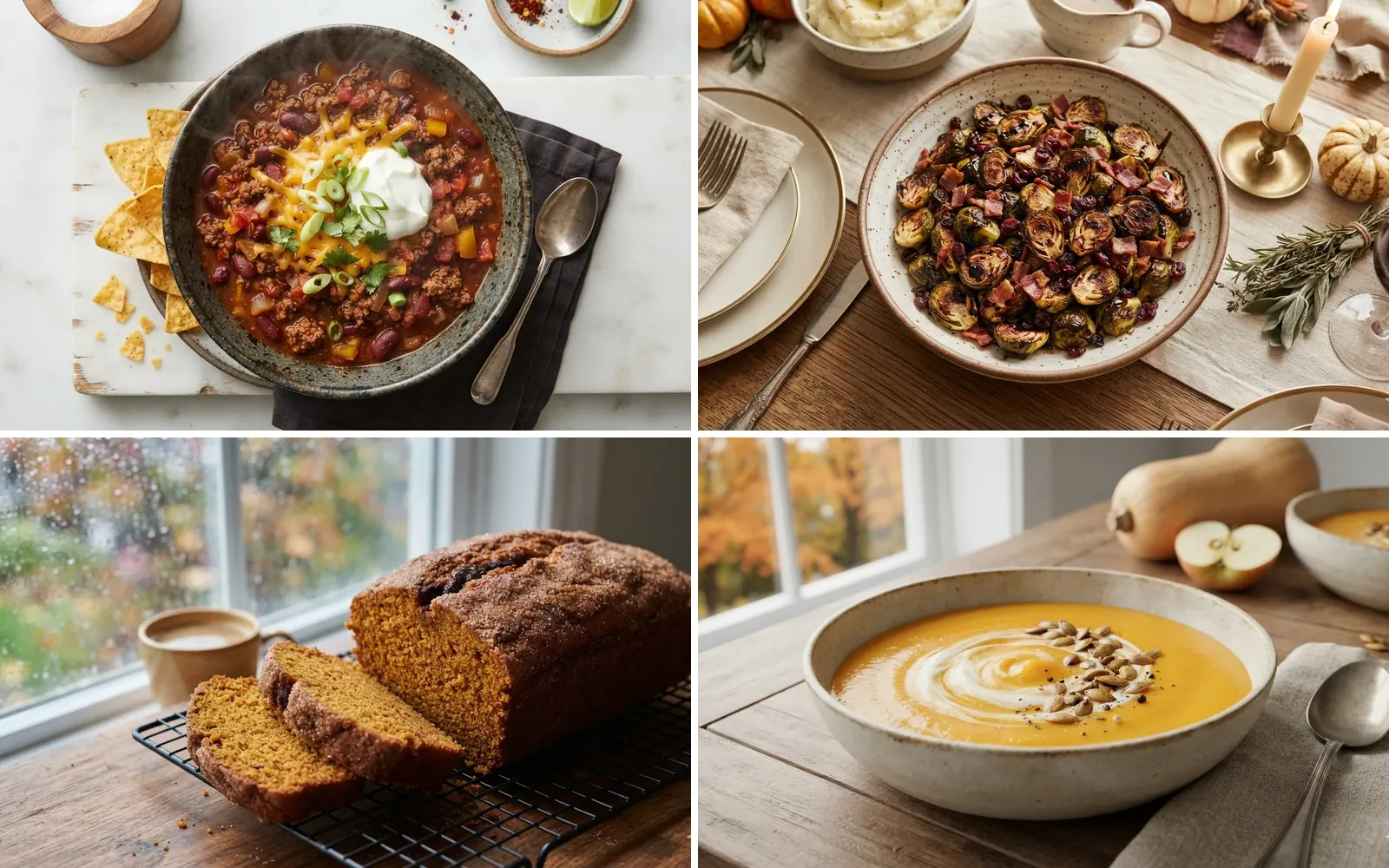
- A meal plan. Use your own recipes, or start with our fall favorites.
Step by step: from meal plan to Kroger or Smith's cart
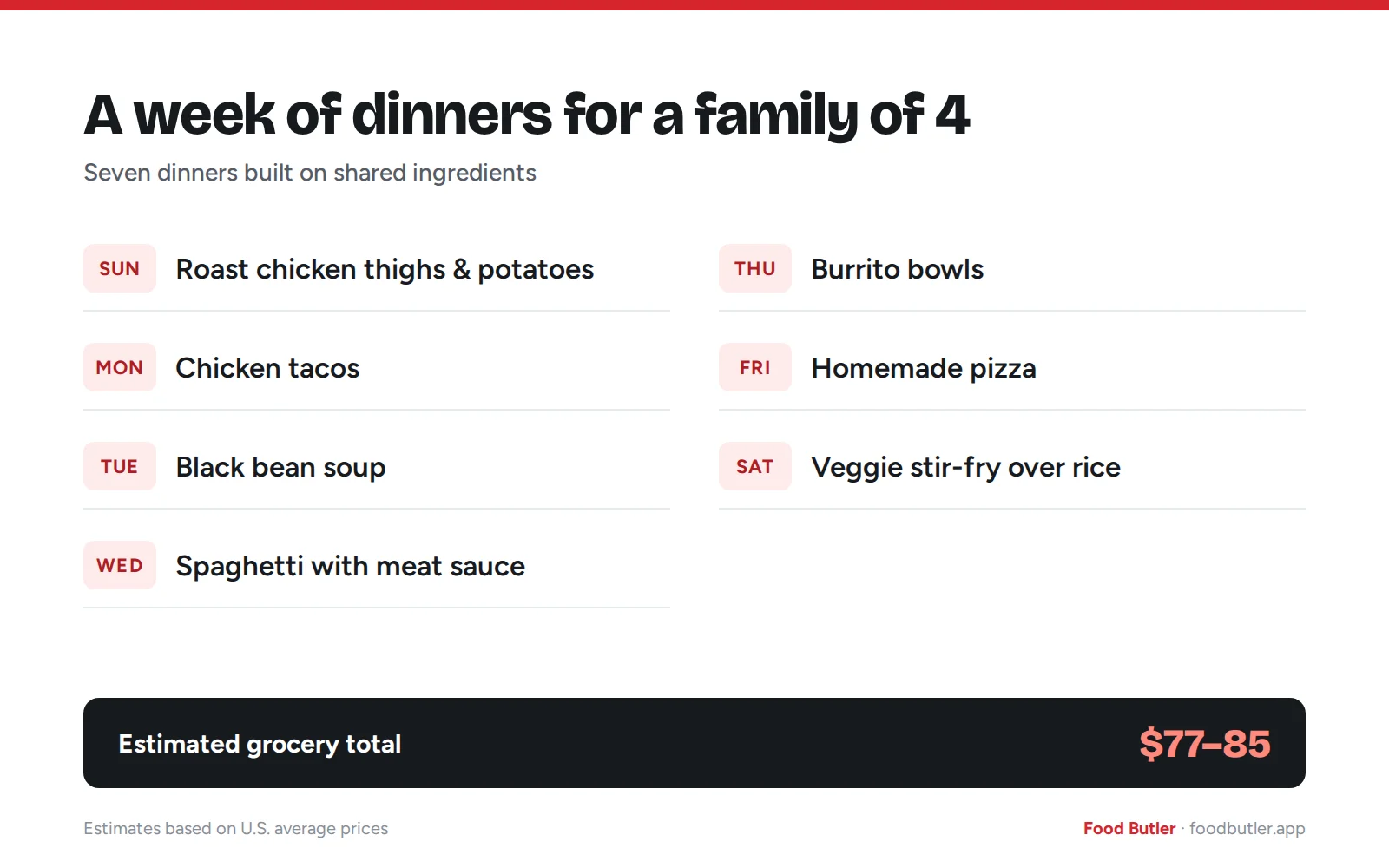
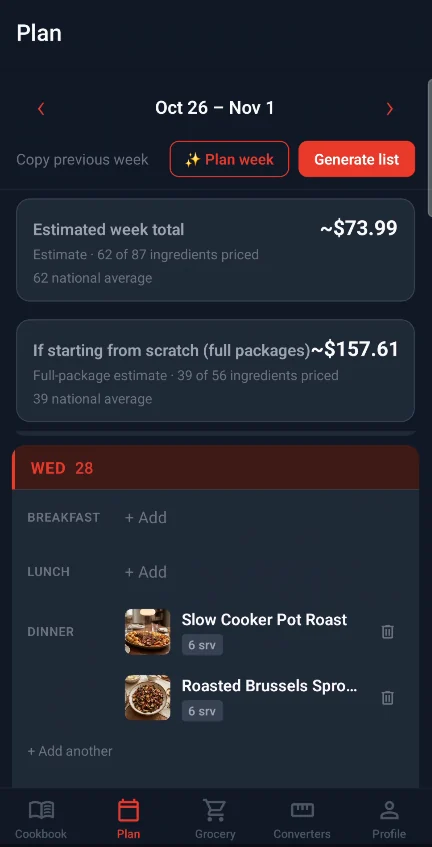
1. Plan your week
Add your dinners to the week in Food Butler and set the servings for each. Food Butler scales every ingredient to match.
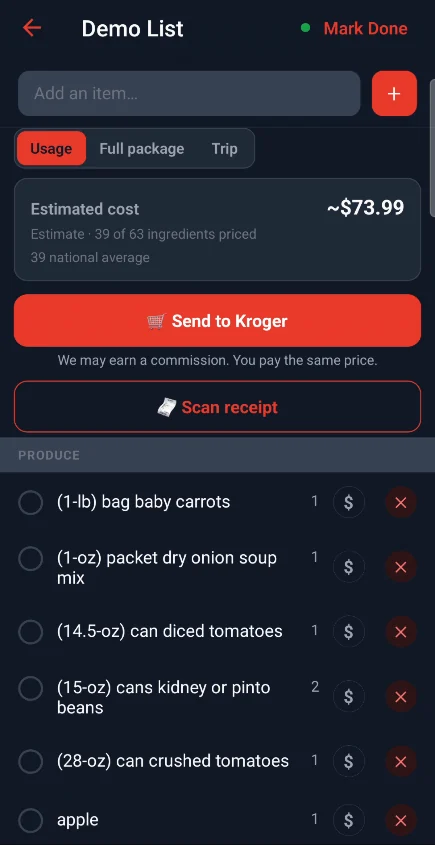
2. Open your grocery list and cross off what you have
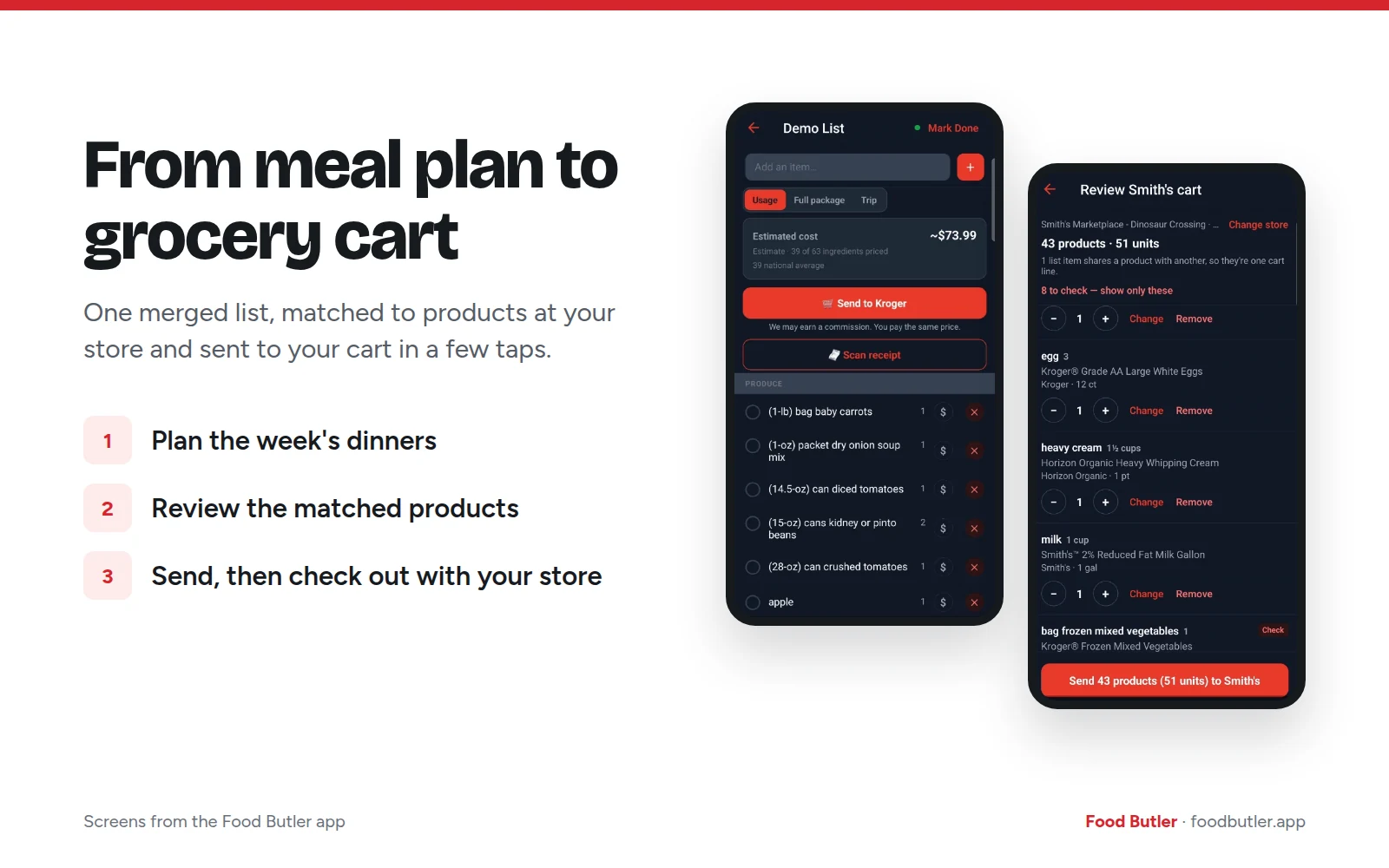
Food Butler merges every recipe into one list, so onions from several dinners show up as a single line. Delete anything already in your kitchen, like oil, spices or the soy sauce in your fridge door, so you don't buy it twice.
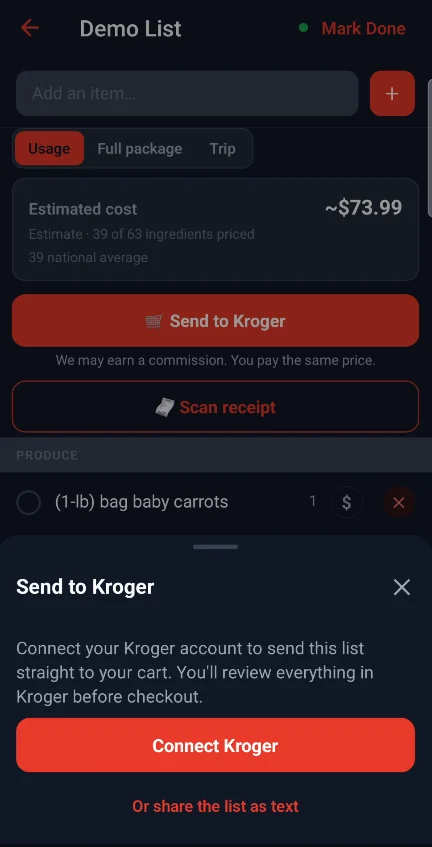
3. Send the list to your cart
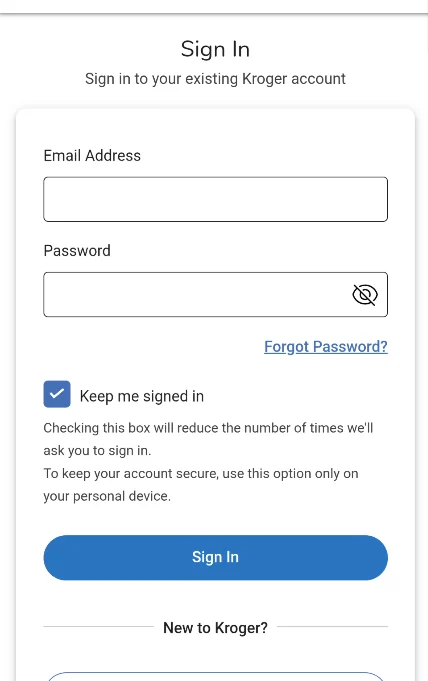
Tap Send to Kroger on your grocery list. The first time, tap Connect Kroger, and Food Butler opens a sign-in page from Kroger, which owns Smith's. Sign in with the email and password you use at Smith's (or Kroger, King Soopers and so on), then tap Authorize to let Food Butler add items to your cart. You type your password on Kroger's page, so Food Butler never sees it.
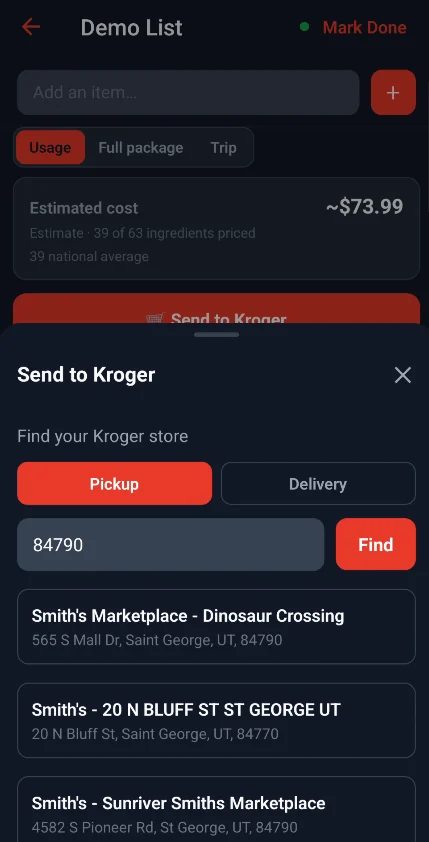
4. Pick your store
Choose pickup or delivery, enter your ZIP code, and pick your store from the list of nearby Kroger-family stores. Food Butler remembers it, so next week you skip this step.
5. Review the matches
Food Butler matches each item on your list to a product at your store. Items it isn't sure about are flagged, with alternatives to choose from. Swap any brand or size you'd rather not buy.
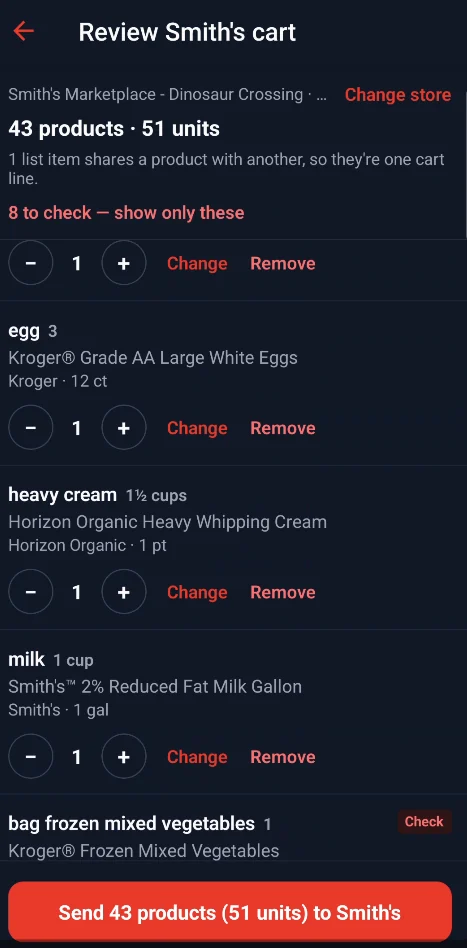
6. Send it
Tap send. Food Butler adds everything to your cart at once and shows you what went in. If an item couldn't be added, it's listed so you can find it in your store's app yourself.
7. Check out with your store
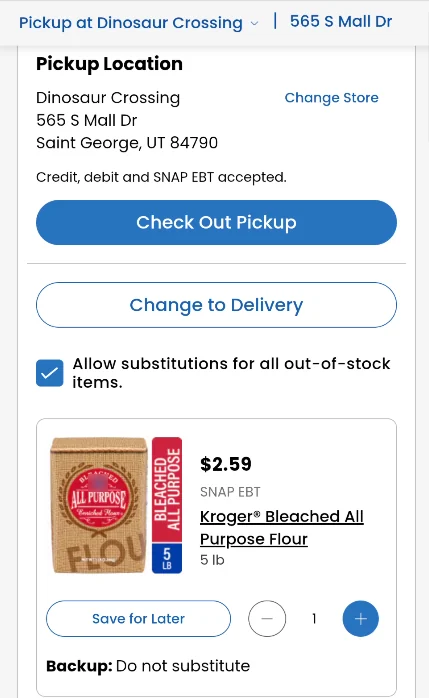
Open your cart in the Smith's app or at smithsfoodanddrug.com (or your own store's app or site); Food Butler's last screen takes you there. Choose pickup or delivery, pick a time slot, decide on substitutions, and pay. Digital coupons you've clipped apply automatically.
What it costs
| What | Cost |
|---|---|
| Sending your list from Food Butler | Free |
| Pickup at Kroger or Smith's | Free on orders of $35 or more; $4.95 below that |
| Smith's delivery | Varies by time slot and day of the week; free on $35+ orders for Kroger Boost members |
The groceries themselves are priced and paid for at your store, the same as any online order. Fees are from the Kroger pickup, Smith's pickup and Smith's delivery help pages.
What Food Butler can and can't do in your account
Food Butler can add the items you reviewed to your cart, and only when you tap send. It can't place an order, see your payment details or look at your purchase history. Anything it adds, you can still change or remove in your store's app before you check out.
Tips for your first pickup order
- Clip digital coupons before you check out. They load to your Shopper's Card and apply to pickup orders automatically.
- Decide on substitutions. You choose whether to allow them when you order. If you accept one, you pay the substitute's price.
- Book ahead. Kroger and Smith's let you schedule a pickup slot up to seven days out.
- Know the edit cutoff. For next-day pickup, you can add or change items until midnight the night before. A same-day order can't be changed once it's submitted.
- Stay over $35. Below that, pickup costs $4.95. Putting the whole week in one order usually clears it.
Frequently asked questions
Does Food Butler charge to send my list to Kroger or Smith's?
No. Sending a list to your cart is free. You pay the store for the groceries, plus any pickup or delivery fee.
Can Food Butler check out for me?
No. Food Butler fills the cart, and you choose the time slot and pay in your store's app or website. That way you see your store's actual prices before you pay.
Can I pay with SNAP EBT?
Yes. Kroger-family stores, including Smith's, accept SNAP EBT for online pickup and delivery orders. You choose how to pay at checkout in your store's app, so Food Butler never handles your payment.
Does this work at Kroger, King Soopers and other Kroger-family stores?
Yes. The same steps work at Kroger-family stores that take online orders, such as Kroger, King Soopers, Fry's, Fred Meyer and Ralphs. Kroger runs nearly 2,800 stores in 35 states. Just pick your store in step 4.
Why doesn't Food Butler's estimate match my Kroger or Smith's total?
Food Butler estimates costs from national average prices, so you can plan before you choose a store. Your cart shows your store's actual prices, sales and clipped coupons.
What happens if an item doesn't match?
Before you send, you can swap any product Food Butler picked. If something can't be added, Food Butler lists it so you can add it in your store's app.
Is my Kroger or Smith's password safe?
You type it on Kroger's own sign-in page, not in Food Butler, so Food Butler never sees or stores it.
Kroger, Smith's and the other store names in this post are trademarks of The Kroger Co. Food Butler is an independent app and isn't affiliated with, sponsored by or endorsed by The Kroger Co.
Sources
- Pickup fee, digital coupons, booking window and SNAP EBT for pickup: Kroger Pickup FAQs
- Smith's pickup fee, substitutions and edit cutoffs: Smith's Pickup FAQs
- Delivery fees and Boost: Smith's Delivery FAQs
- SNAP EBT for online pickup and delivery at Kroger-family stores: Kroger, Oct 25, 2023
- Store and state count: The Kroger Co., About